
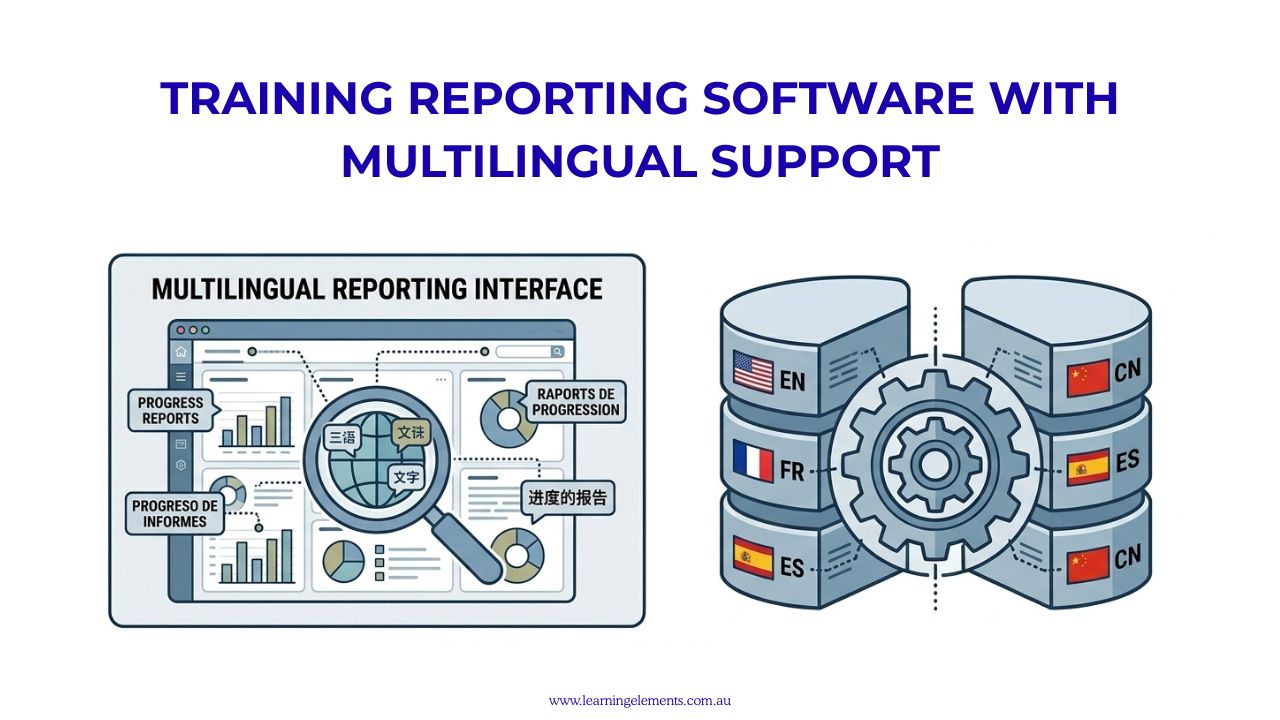
Training reporting software with multilingual support can help organisations deliver courses in multiple languages while bringing learner records, training progress and reporting data together in a centralised reporting system. The available reporting functions depend on the platform, particularly when tracking completion and assessment results across different language versions.
Australian organisations may have employees, customers and business partners who speak different languages. This can create additional requirements for training delivery, learner communication and performance reporting.
A multilingual training platform can help organisations provide learning content in different languages while keeping training information within a central reporting structure. However, training reporting software with multilingual support needs to do more than translate course text. It should also help administrators manage different language versions, monitor learner progress and produce consistent reports without unnecessary course duplication.
For organisations with employees across multiple locations, choosing a platform with suitable multilingual reporting features can make training administration more manageable. It can also help managers identify participation gaps and assess whether training content is suitable for different learner groups.
What Does Multilingual Training Support Mean?
Multilingual training support refers to a platform’s ability to deliver learning content and system functions in more than one language.
Depending on the software, this can include:
- Translated course content: Training materials, presentations, videos and learning resources available in different languages.
- Multiple versions of the same course: Separate language versions managed under one training programme.
- Translated interface elements: Menus, buttons, instructions and other platform features displayed in the learner’s preferred language.
- Learner language preferences: Options for selecting or assigning a preferred language.
- Multilingual assessments: Questions, instructions and assessment materials translated into different languages.
- Translated notifications: Course reminders, enrolment messages and completion notifications provided in the selected language.
- Right-to-left language support: Appropriate text direction for languages such as Arabic and Hebrew.
- Reporting by language: The ability to identify learner participation, course completion and assessment results according to the language version selected or completed.
Note: Not every platform provides all these features. Some only translate the platform interface, while others support translated course materials and language-specific reporting. Organisations should therefore distinguish between software that supports multiple interface languages and software that can manage multilingual training programmes from enrolment through to reporting.
Why Does Multilingual Training Reporting Matter?
Consider an Australian organisation delivering the same workplace safety programme in English, Mandarin and Vietnamese.
If each language version is treated as a completely separate course, reporting may become fragmented. Managers could end up with three sets of completion figures instead of one consolidated view of the overall programme.
This can make it harder to answer basic management questions, such as how many employees have completed the required training or which locations still have outstanding learners.
A platform that associates different language versions with the same training programme can make reporting easier. Administrators can review overall programme results while retaining the language information needed for more detailed analysis.
For example, a consolidated report could show:
- Total employees enrolled across all language versions.
- Overall programme completion rates.
- Completion figures for English, Mandarin and Vietnamese.
- Assessment results by language.
- Outstanding training by department or location.
- Certification and compliance status.
This gives managers a clearer view of programme participation without having to combine several unrelated reports manually. It is also important to recognise that differences in assessment results do not automatically indicate differences in employee capability. Translation quality, terminology, assessment wording and course delivery can all affect results.
Review Your Multilingual Training Requirements
Before selecting a platform, assess how many languages your organisation needs, which learner groups require translated materials and what information managers need to report.
Discuss Your Training Requirements
What Should a Multilingual Training Report Include?
A useful multilingual training report should provide both an overall view of programme performance and the option to examine results by language.
Depending on the organisation’s requirements, reports may include:
| Reporting Metric | What It Shows |
|---|---|
| Total enrolments | Number of learners registered across all language versions |
| Overall completion | Total learners who completed the programme |
| Completion by language | Number and percentage of learners completing each language version |
| Completion by location | Training participation across offices, branches or regions |
| Assessment results | Scores and outcomes for learners using different language versions |
| Participation rates | Learner engagement and attendance |
| Certification status | Current, completed or outstanding certifications |
| Training dates | Enrolment, commencement and completion dates |
| Learner groups | Results by department, job role or employee category |
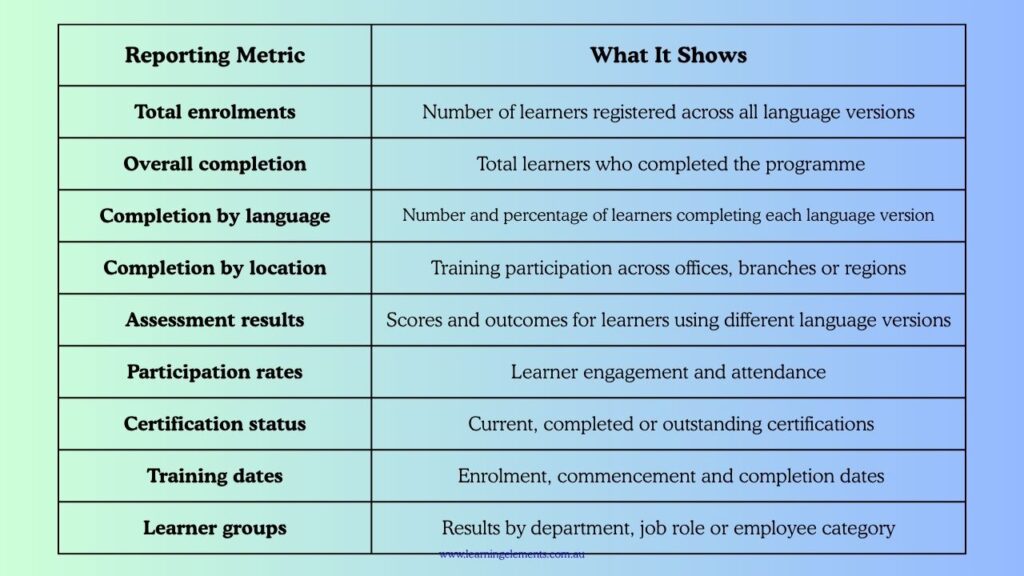
These reporting fields help organisations monitor training requirements without losing important language information. For example, a manager may see that overall completion has reached 85%, but a breakdown by language and location could show that one group has a lower completion rate. The organisation can then investigate whether the issue relates to course accessibility, translation quality, scheduling or another delivery concern.
Training Reporting Software with Multilingual Support: Features to Check
When assessing software, organisations should look beyond the number of languages advertised on a product website. They should also consider how well the platform manages translated course materials, learner preferences and language-specific training records. A system may support multiple interface languages but offer limited options for managing translated courses or consolidating training results. Checking these capabilities helps organisations determine whether the software can support their multilingual training requirements while keeping reporting accurate, consistent and easy to manage.
The following questions can help determine whether the platform meets actual reporting requirements:
Course and translation management
- Can one course have multiple language versions?
- Can learners select their preferred language?
- Can administrators manage translations centrally?
- Can translated versions be updated without rebuilding the entire programme?
- Can the system identify which version a learner completed?
Reporting and analytics
- Can reports consolidate results across different language versions?
- Can administrators filter results by language?
- Can managers compare completion rates across locations and learner groups?
- Are assessment results available by language?
- Can reports be exported to Excel or CSV?
- Can language information be included in scheduled reports?
RELATED READ: How to Export Training Reports to Excel or PDF Formats
Technical compatibility
- Does the mobile application support the required languages?
- Can SCORM or other learning packages accommodate translated content?
- Are translated notifications supported?
- Can the platform display right-to-left languages correctly?
- Can the system integrate with existing HR or learning management systems?
These questions can help organisations identify reporting limitations before purchasing a subscription.
RELATED READ: What are SCORM Files? How to Play a SCORM File? A Beginner’s Guide
Key Evaluation Criteria for Multilingual Reporting
When choosing a training platform, basic translation is not enough. Ensure the software can answer these core operational questions:
- Centralised Data: Can reports consolidate completion rates and assessment scores across different language versions into one programme?
- Granular Tracking: Can administrators filter or see which specific language version a learner used?
- Content Management: Can a single course accommodate multiple language versions without requiring administrators to create and manage duplicate courses?
- Mobile Consistency: Does the mobile application provide the same language options for course content and assessments as the desktop version?
Examples of Training Platforms with Multilingual Features
When comparing training reporting software with multilingual support, organisations should assess each platform against their course management, reporting and localisation requirements. Several learning management systems (LMSs) offer multilingual content management or reporting capabilities. However, the features available vary between providers, so organisations should check whether each platform meets their specific needs.
1. 360Learning
360Learning provides multilingual content management through its course translation and localisation features. Its Globalisation solution also supports access to global training data through a single dashboard. Administrators can manage translated courses and review available translation languages through course statistics.
Its support documentation also describes course statistics that include source languages, available translations, unavailable translations and other course activity information. This makes 360Learning worth considering for organisations that need to manage multilingual training while maintaining central reporting.
2. Docebo
Docebo provides multilingual platform and content management features. Administrators can activate supported languages and organise translated training materials in language-specific folders within a single course. This can reduce the need to create entirely separate courses for each language.
Its multilingual course functionality also includes language-specific content folders and completion rules.
However, organisations should check the reporting limitations carefully. Docebo’s current documentation states that multilingual course progression reports do not provide language-specific progression figures. Although course completion is assessed against the materials in the learner’s selected language folder, progression reporting is calculated across the course’s training materials rather than separately for each language.
This distinction is important for organisations that need detailed progress reporting by language.
3. Litmos
Litmos supports multilingual content delivery, allowing organisations to maintain localised course versions for employees, customers and business partners. Its content management features can help administrators provide training materials to different language groups without maintaining entirely separate training programmes.
The platform also provides reporting and analytics covering learner activity, course completion and content engagement. Organisations should confirm whether their required language-specific reporting fields and consolidated reporting arrangements are available in their proposed configuration.
4. CYPHER Learning
CYPHER Learning supports more than 50 languages through its multilingual platform features. Its CYPHER Agent can assist with creating courses, assessments and other learning materials in different languages. The platform also provides automated translation of messages, notifications and forum posts. Its reporting tools support multiple languages, allowing administrators to work with reports in their preferred language.
5. TalentLMS
TalentLMS supports individual language preferences and offers AI-assisted course cloning and translation. According to its support documentation, this translation feature is available on Premium Trial, Pro and Enterprise plans. Course files are not automatically translated, so administrators may need to translate and upload these separately.
6. Absorb LMS
Absorb supports language-specific courses and translated learner interfaces. Its uploaded videos and PDFs are prepared in the target language rather than being automatically translated through the interface language setting.
7. Moodle
8. Compliance Training Platforms
Organisations with specialised compliance training requirements may also review platforms such as SAI360, NAVEX and Vector Solutions. Before considering them for multilingual training, check their supported languages, course localisation options, compliance reporting functions and suitability for Australian workplace requirements.
Important: Software features, supported languages and subscription inclusions can change. Some capabilities may also depend on the selected plan or additional modules. Request a demonstration and confirm the reporting functions before purchasing.
Compare Training Reporting Platforms
Not all multilingual platforms provide the same reporting capabilities. Compare course management, language filters, consolidated reports and export options before making a decision.
Compare Training Reporting Options
Consider the Learner’s Location and Language Requirements
Language is only one part of localisation. Organisations with employees across different Australian states, territories or international locations may also need to consider:
- Time zones: Training schedules and automated reminders should reflect the learner’s local time.
- Date formats: Dates should be displayed consistently and clearly for different learner groups.
- Local terminology: Translated materials should use language that employees understand in their workplace.
- Regional policies: Training content should reflect applicable Australian workplace procedures, state or territory requirements and relevant industry regulations.
- Local examples: Case studies and training scenarios should be relevant to the learner’s working environment.
- Accessibility: Course materials should accommodate different accessibility requirements and learning needs.
- Mobile access: Employees should be able to access training through supported mobile devices where required.
For Australian organisations with teams across different regions, these considerations can affect both training delivery and reporting.
Translation alone does not guarantee that training content is suitable for every audience. Technical terminology, workplace instructions and compliance-related information may require review by qualified translators or relevant subject matter specialists. Organisations should also establish a process for reviewing translated content whenever the original course changes. This helps prevent employees from completing outdated versions of training materials.
RELATED READ: Training Reporting Apps Compatible with Mobile Devices
Keep the Reporting Structure Consistent Across Languages
A useful multilingual reporting structure should make it possible to answer questions about overall programme performance while retaining the details needed for individual language groups.
For example, managers should be able to answer:
- How many employees completed the programme?
This provides the overall completion figure across all available language versions.
- How many employees completed training in each language?
This helps administrators understand which language versions are being used and whether training has reached the intended learner groups.
- Are assessment results different between language groups?
This allows training teams to examine whether translated questions, instructions or learning materials may need further review.
- Which locations or departments have lower completion rates?
This helps managers identify groups that may need additional training support or reminders.
- Are all learners completing equivalent training requirements across the available language versions?
This is particularly important for mandatory and compliance-related programmes where different language versions must cover the same required learning outcomes.
The aim is not to judge employees based on the language they use. Instead, the reporting data should help organisations identify whether the training content, translation or delivery method needs attention. Organisations should also maintain consistent course identifiers, completion rules and version records. This helps ensure that reporting remains reliable when training materials are updated or new translations are introduced.
RELATED READ: Free Trials of Training Reporting Software for Australian Businesses
How Learning Elements Can Help
Learning Elements can help Australian organisations review their training design, reporting requirements and learning management processes.
For businesses delivering training to employees, customers or business partners across different language groups, it is important to establish a reporting structure that reflects both training participation and business requirements.
This may include:
- Reviewing existing training programmes and reporting processes.
- Identifying the multilingual reporting features required.
- Structuring training data across departments, locations and learner groups.
- Assessing completion, attendance and assessment reporting requirements.
- Identifying gaps in existing training reports.
- Aligning training measurements with organisational performance objectives.
For organisations that need more than basic completion reports, Learning Elements can also discuss how training information can be connected with wider business performance measures. This may include examining training completion, assessment results, employee performance indicators and feedback to identify patterns that can inform future training decisions. This provides a more practical connection between training reporting and business performance without suggesting that completion figures alone demonstrate training effectiveness.
If your organisation needs help assessing its multilingual training and reporting requirements, talk to Learning Elements about your current processes.
Improve Your Training Reporting
Get support to review your reporting requirements, identifying data gaps and planning a more consistent approach to training measurement.
Conclusion
Multilingual training software can help Australian organisations deliver learning programmes to employees, customers and business partners who use different languages.
However, translation is only one part of an effective training management system. Organisations also need to consider how different language versions are managed, how learner progress is recorded and whether reporting can provide both consolidated programme results and language-specific information.
When selecting training reporting software with multilingual support, check that the reporting functions meet your operational requirements, not just the number of languages available. A consistent reporting structure can help managers monitor completion, assess training results and identify areas that may require further attention.
Learning Elements can help you review your training design, reporting requirements and performance measurements to establish a more consistent approach to training management and evaluation.
Sources:
- 360Learning – Training Features
- Docebo Support – Managing the Localization Tool and Platform Languages
- Docebo Support – Creating E-learning Courses in Multiple Languages
- Litmos – Content Authoring: Build Training Content that Accelerates Learning
- CYPHER Learning – Languages
- TalentLMS – Preferred Language
- Absorb – Setting Up Language-Specific Courses
- MoodleDocs – Language Settings
FAQs
1. What is multilingual training reporting software?
It is software that supports training delivery in multiple languages and provides reports on enrolments, completions, assessment results and learner activities.
2. Can one training course have multiple language versions?
Yes. Some platforms allow administrators to manage several translations under one training programme rather than creating completely separate courses.
3. Can managers generate reports by language?
Yes, on platforms that provide language-specific reporting. However, this feature is not available in the same way across all systems.
4. Does multilingual training software support mobile devices?
Many platforms offer mobile access, but language availability and functionality can vary between desktop and mobile versions.
5. What should Australian organisations check before choosing multilingual training software?
Check supported languages, course translation management, consolidated reporting, language-specific filters, mobile compatibility, data exports and integration requirements.